What is a trailer record
A trailer record is the last line in a data file, and it holds a count of the data rows and a control total of the amounts. Usually, the system receiving the file (e.g. a data warehouse or a reconciliation process) needs to check both these values to confirm that the file being consumed is complete.
Why there is a need to add a trailer record
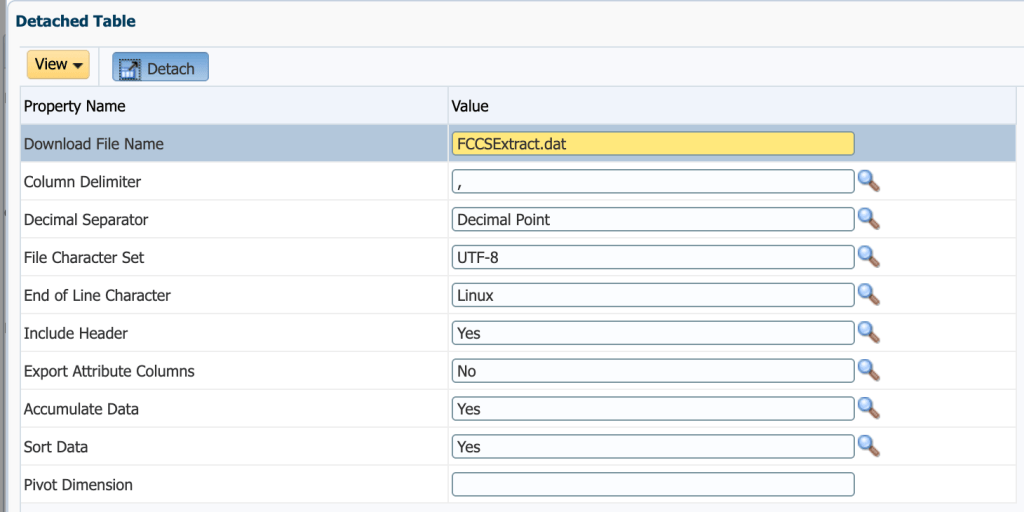
When you’re exporting a trial balance from Financial Consolidation and Close (FCCS) or any other Planning-based application (e.g. Planning, Tax Reporting or Freeform) through Data Exchange, there is no option on the Data Export to File application to add a trailer record. Its options cover the header row with column headers, file name, the delimiter, the workflow mode and the character set, so a Groovy business rule can be used to append the trailer record once Data Exchange has written the file to the outbox.
Data Export to File application options
Why the amounts need to be rounded first
The control total is only useful if the receiving system arrives at the same number when it adds up the amounts in the file. FCCS holds amounts as floating point numbers, so the export carries values such as 955734779.4960001 and 675385.6899999999 (where the trailing digits come from how the number is stored rather than from real precision). A receiving system that loads the file at 2 decimal places rounds each of those lines before adding them up, and its total can then differ from a total built from the original amounts.
So the rule rounds every amount to 2 decimal places before writing it, and builds the control total from the rounded amounts (not the original values) so that the file, the trailer record and the receiving system all agree.
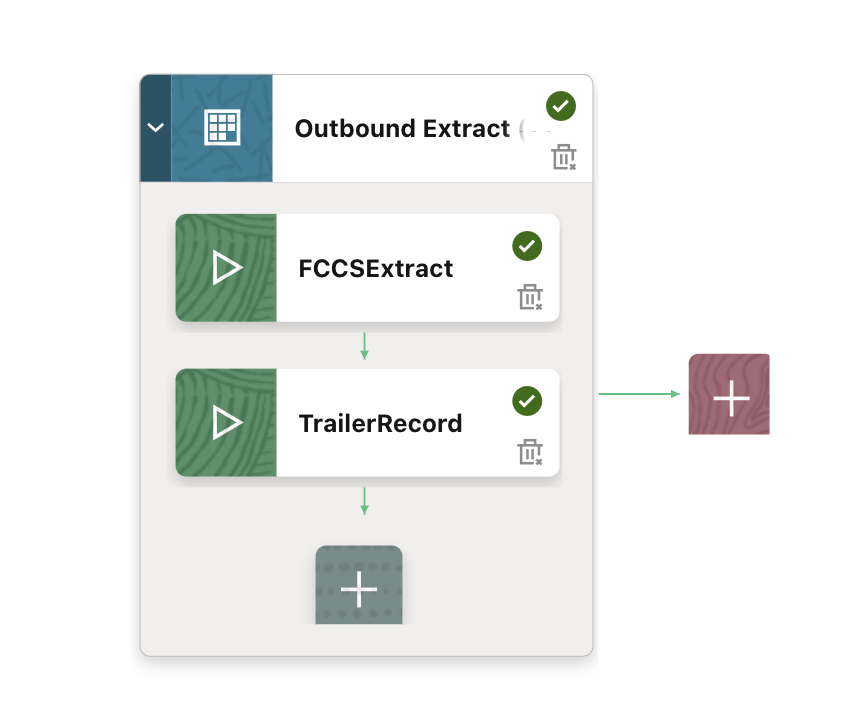
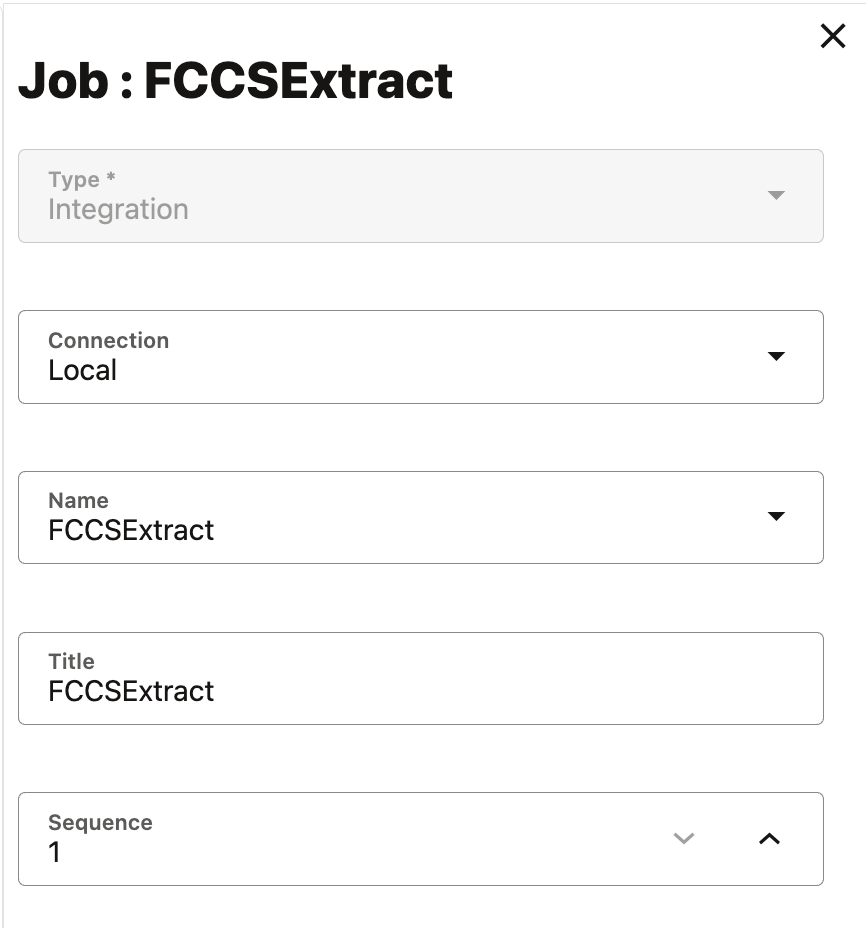
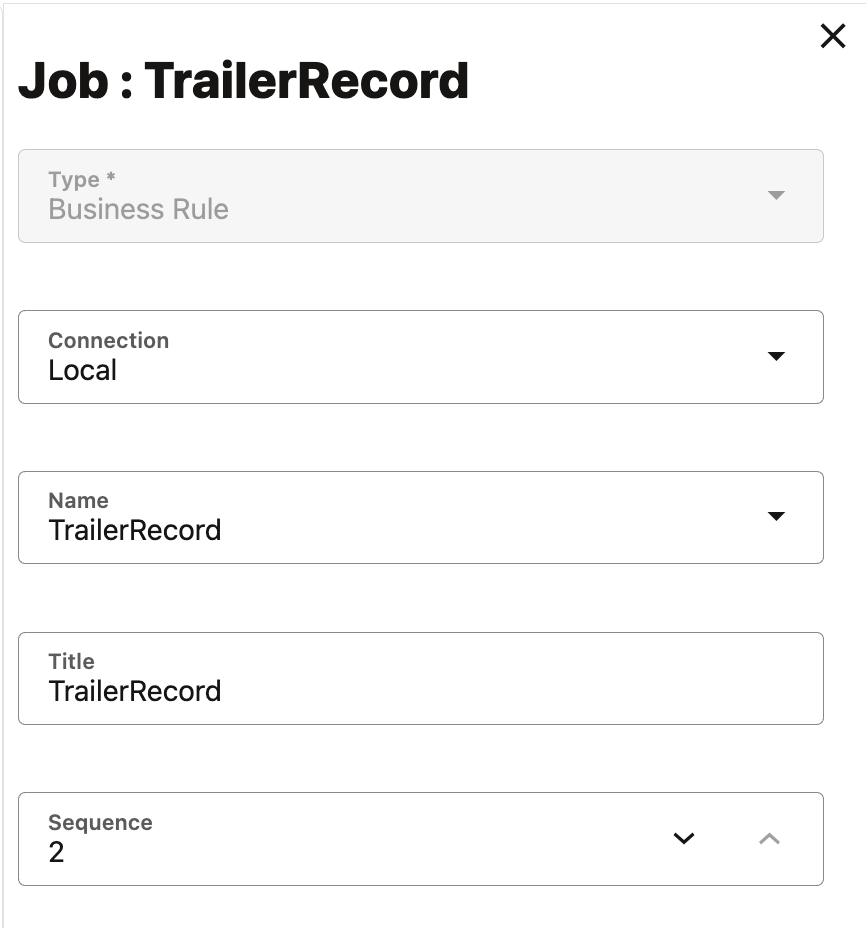
Business rule job in the pipeline
How the Groovy rule works
The rule runs as a business rule job in a pipeline stage after the export, and works through the file in 4 steps.
- Read the export from the outbox – The csvIterator method reads a comma delimited file (does not need to be a .csv file) from the outbox, which is where Data Exchange writes the export, so the file doesn’t have to be moved first
- Round each amount – The rule parses the amount text straight into a BigDecimal, because converting it through a double would bring back the floating point noise that the rounding removes
- Count the rows and add up the rounded amounts – The count excludes the column name row, so it matches the number of data rows the receiving system counts
- Write a new file with the trailer record – The csvWriter method writes the column names, the rounded rows and a final TrailerRow line to a new file, leaving the original export untouched
/*RTPS: */import java.math.BigDecimalimport java.math.RoundingModeString inFile = "FCCSExtract.dat" // must match the Download File Name on the target applicationString outFile = "FCCSExtract_Final.csv" // a new file in the outboxList<String[]> dataRows = []String[] header = nullboolean isFirst = trueint amountIdx = -1long lineCount = 0LBigDecimal lineTotal = BigDecimal.ZERO// csvIterator reads from the outbox, which is where Data Exchange writes its exportcsvIterator(inFile).withCloseable { reader -> reader.each { String[] values -> // the first row holds the column names, so locate Amount column by name rather than position if (isFirst) { header = values isFirst = false for (int i = 0; i < values.length; i++) { if (values[i] != null && values[i].trim().equalsIgnoreCase("Amount")) { amountIdx = i } } return } if (values.length <= amountIdx || values[amountIdx] == null || values[amountIdx].trim().isEmpty()) { return } // parse the text straight into BigDecimal BigDecimal rounded = new BigDecimal(values[amountIdx].trim()).setScale(2, RoundingMode.HALF_UP) values[amountIdx] = rounded.toPlainString() dataRows.add(values) lineCount++ lineTotal = lineTotal.add(rounded) }}if (header == null) { throwVetoException("AddTrailerRow: ${inFile} is empty or was not found in the outbox")}if (amountIdx < 0) { throwVetoException("AddTrailerRow: no 'Amount' column found in ${inFile}")}csvWriter(outFile, (char)',', false, false).withCloseable { out -> out.writeNext(header) for (String[] row : dataRows) { out.writeNext(row) } out.writeNext("TrailerRow", String.valueOf(lineCount), lineTotal.toPlainString())}
In this example, the export holds 1,791 data rows across 12 entities, and the rule appends TrailerRow,1791,111.04 as the last line of the file.
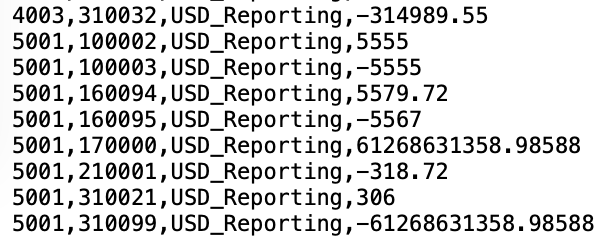
The export before and after the rule runs
BEFORE
AFTER
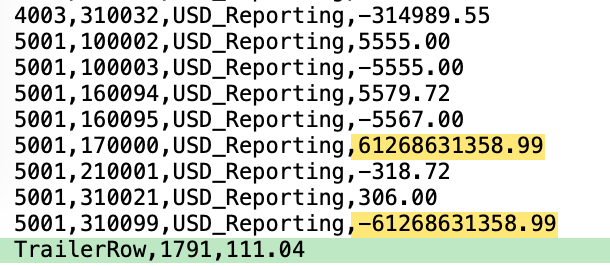
Yellow marks the amounts that rounding changed, and green marks the trailer record that the rule added at the end of the file.
Conclusion
A Groovy business rule can be used to add the trailer record that Data Export to File doesn’t provide – The rule runs after Data Exchange writes the export, so the trailer is appended without changing the integration
Rounding each amount before it is added up will keep the control total consistent – The trailer record uses the same rounded amounts the receiving system loads, so a complete file won’t fail reconciliation over floating point noise
The same rule works for any export that a downstream system has to reconcile, because it only needs an Amount column and a fixed file name, and it can be added to an existing pipeline as one more stage.


Leave a comment